GoPass ®
- 4.8
- Rating
- 500.00K
- Installs
- Free
- Price

 Analysis by App-foxy
Paying for public transport is the part of a journey I usually want to finish before I start thinking about the journey itself. That is the problem GoPass ® tries to solve. Developed by GoPass App, this free Maps & Navigation app is built around a simple idea: make paying and riding feel more connected, rather than forcing me to treat transport payment as a separate errand.
That focus matters because a payment tool is judged differently from a general map. I do not need it to be the best app for discovering restaurants or planning a road trip. I need it to reduce hesitation when I am standing near a stop, deciding whether I have the right fare, or trying to get moving without searching for cash, a machine, or another transport card. In my experience, the app is most interesting when viewed as a practical bridge between planning a ride and actually boarding it.
It has been available since September 9, 2013, and its current version is 4.11.0. The app is free to use, rated for Everyone, and requires at least OS 10. Its average rating is 4.8 from around 39 thousand ratings, with about 3.9 thousand written reviews, while the install count has passed 500 thousand. Those figures suggest that GoPass has earned a substantial audience without making the experience feel like a complicated travel platform.
You May Also Like

 Blood Strike: 2.5 Anniversary
Blood Strike’s Loadouts Turn Every Drop Into a Tactical Gamble
A close look at Blood Strike’s custom loadouts: how fast access to signature weapons reshapes its battle royale rhythm, rewards preparation, and narrows the gap between fights.

 Pandora - Music & Podcasts
Pandora’s Music Is Easy to Start, but Harder to Recover
Pandora’s strength is its low-effort path from a seed to a station. Its weak spot is how much confidence it asks you to place in connection, setup, and quiet recovery.

 8 Ball Pool
 Is Built on Rivalries, Rematches, and Routine
A close look at the rivalries, rematches, shared routines, and unanswered safety questions that turn a quick pool match into a persistent mobile community.

 Samsung Music
’s Quiet Strength Is Playing What You Already Own
Its reach comes less from spectacle than from dependable access to a personal library. That simplicity is both the app’s strongest retention engine and its ceiling.

 AccuWeather: Weather Radar
AccuWeather Review: A Quick, Clear Forecast for Everyday Decisions
For everyday plans, the best forecast is the one you can understand quickly. AccuWeather makes rain timing, radar, and local conditions easy to act on, with a few trade-offs.

 Hill Climb Racing
Why Hill Climb Racing Still Turns Crashes Into One More Run
A tiny car, a bumpy hill and one more upgrade: Hill Climb Racing keeps resurfacing because its simple chaos makes every near-miss feel personal.
More From Our News Desk



Why the payment-first approach is useful
The strongest capability here is not simply showing transport information. It is the attempt to make the payment side of riding more convenient. That distinction is easy to miss when comparing it with ordinary map apps, because maps are excellent at answering “How do I get there?” They are not always designed around the next question: “How do I pay for this ride right now?”
I find that separation important in everyday use. A route planner can tell me which service to take, but I may still need a separate process to handle the fare. GoPass is aimed at that awkward gap. Its value appears when the ride itself is already reasonably clear and the remaining friction is getting ready to pay and ride.
This makes it a more focused tool than a broad navigation app. I would not install it expecting a universal replacement for every map, timetable, or travel-planning service. I would consider it when transport payment is the recurring nuisance in my routine. The app’s store summary, “A better way to pay and ride,” captures that emphasis without promising to be an all-purpose travel companion.
The practical effect is small but meaningful: fewer separate steps before boarding. That can matter when I am carrying bags, moving through an unfamiliar station, or trying to help someone else get onto public transport. The benefit is less about saving an entire journey and more about removing one decision from the moment when I am already in motion.
What I would use it for
I would use GoPass before a regular ride when I want to prepare the payment part instead of leaving it until the last second. I would also keep it in mind for occasional trips where I do not want to learn a new ticket machine or search for a physical payment option at a busy stop.
There is a useful distinction between preparation and navigation. I would still use a familiar map app when I need a detailed walking route, several alternative connections, or a broad overview of an unfamiliar city. GoPass makes more sense alongside that tool when the important task is paying for the ride rather than exploring every possible route.
That combination is one of the more sensible ways to approach it. Use a map for orientation, then use the payment-focused app for the boarding decision. Trying to force one app to do both jobs can be less convenient than accepting that each tool has a narrower strength.
How the experience fits into a normal trip
A realistic example would be a weekday trip where I am leaving work and heading toward a station. I already know roughly which service I want, but I do not want to stop at a machine, handle cash, or work out the payment process while other passengers are waiting behind me. I open GoPass as part of my preparation, deal with the payment step before boarding, and keep my attention on getting to the correct platform.
The useful workflow is to prepare before I reach the busiest point, not after I am already stepping onto the vehicle. That is a small habit, but it changes how dependable the app feels. If I wait until the last second, any login issue, connection problem, or uncertainty about the ride can become stressful. If I treat it as part of leaving the house or office, the payment feature has a better chance of doing what I need.
I would also avoid assuming that a payment app removes the need to check the journey itself. I still want to confirm the direction, stop, and service before paying. A smooth payment process cannot compensate for boarding the wrong vehicle. The best use is therefore sequential: verify the ride, prepare the fare, then board.
For someone travelling with another person, the app can also be useful as a way to reduce confusion before reaching the stop. I would rather settle the practical payment question while we are still standing safely to one side than start debating options in a crowded boarding area. That is not a flashy feature, but it is exactly the kind of small workflow improvement that makes a transport app feel worthwhile.
Where it differs from ordinary alternatives
General map apps usually win when I need route discovery. They can be better for comparing walking sections, checking several connections, or combining public transport with cycling and driving. A physical travel card or station machine can be better when I want a familiar process that does not depend on opening an app at the moment of travel.
GoPass occupies a narrower middle ground. It is more targeted than a map and more flexible than relying entirely on a physical payment method. That focus is its advantage and its limitation at the same time. If my main problem is finding the quickest route, I may gain more from a dedicated navigation service. If my main problem is paying and riding with less friction, the focused approach becomes more attractive.
I would not replace every transport option with it automatically. A physical card can feel faster for a person who already has one set up and uses the same route every day. A map app can be more useful for a visitor who has not yet learned the local network. GoPass is most convincing when payment is the part that repeatedly interrupts an otherwise familiar journey.
The tradeoffs I noticed
The first tradeoff is dependence on a phone-based process. Even a well-designed payment app adds a device to the chain of getting onto public transport. I need my phone available and ready at the relevant moment, and I need to remember that digital convenience is not the same as a completely invisible payment method.
That is why I would build a little margin into the first few uses. I would not make my first attempt with GoPass during a rushed connection or immediately before an important appointment. I would learn the flow on a less stressful trip, confirm that it suits my routine, and only then rely on it when timing matters.
The second tradeoff is that a focused payment experience may not answer every travel question. I still need to think about route details, timing, and where I am going. This is not a criticism of the app’s purpose; it is a reminder to judge it by the problem it is designed to address. The more I expect it to behave like a complete navigation suite, the more likely I am to feel that something is missing.
The third tradeoff is personal habit. If I already have a payment method that feels effortless, switching may not produce a dramatic improvement. The app has to save enough mental effort to justify becoming part of my travel routine. For occasional riders, that may happen quickly. For someone with a perfectly comfortable existing setup, the benefit may be less obvious.
I also think the free price changes the decision. There is little financial risk in trying it, but free does not mean frictionless for every person. I would still judge it by how naturally it fits my local transport habits and by whether I prefer app-based payment to a card, ticket, or machine. The right question is not whether it is free, but whether it removes a problem I actually experience.
Who is likely to benefit most
GoPass is a good candidate for regular public-transport riders who dislike stopping to sort out payment. It may also suit occasional riders who want a more direct digital option than learning a ticket machine each time. People who often travel with luggage, move through busy stations, or help less confident passengers may appreciate the preparation-focused workflow.
I would be more cautious about recommending it as the only transport app to visitors who need detailed route guidance. I would also hesitate for riders who prefer a physical card and already find that method simple. In those cases, the app may add another layer rather than remove one.
Its Everyone content rating makes it approachable for a broad audience, and the long availability of the service gives it a more established feel than a brand-new experiment. Still, the best recommendation depends on the person’s routine. Someone who rides occasionally and wants payment handled digitally may find immediate value; someone who only needs directions may not.
Small habits that make it more dependable
I would keep the app in a predictable place on my phone rather than searching for it at the station. I would also open it before reaching the boarding area, especially when travelling during a busy period. Those two habits turn the app from an emergency tool into part of the trip’s preparation.
Another useful habit is separating “payment ready” from “journey confirmed.” I would check the route first, then handle payment, rather than treating successful payment as proof that I am on the right service. This is particularly important for occasional travel, where a familiar-looking stop or direction can be misleading.
For a first-time user, I would test the complete sequence on a simple ride. That lets me learn where the relevant actions are without the pressure of a crowded platform. After that, the app’s main benefit is likely to come from repetition: the more often payment is the annoying part of the trip, the more valuable a dedicated shortcut becomes.
I would also keep a backup mindset. That does not undermine the app; it is sensible for any phone-dependent travel arrangement. If my battery is low or I am in a hurry, I want to know what my alternative is before I need it. GoPass can simplify payment, but it should not encourage me to ignore basic travel preparation.
My recommendation after using it
My overall view is positive because GoPass understands a specific inconvenience instead of trying to be everything at once. The app is at its best when I already know where I am going and want the payment step to feel less disruptive. That makes it a practical companion to a navigation app, not necessarily a replacement for one.
The strongest reason to try it is the focused workflow. It can make the transition from “I need to take public transport” to “I am ready to ride” feel more direct. The weakest reason would be expecting it to solve every part of a journey, from route discovery to detailed orientation, without help from another tool.
With its free access, Everyone rating, and current version 4.11.0, it is easy to consider without committing money. I would recommend it to a friend who regularly finds transport payment more irritating than the ride itself. I would skip it for a friend who already has a physical payment routine they genuinely enjoy or who mainly wants a powerful route planner.
My final advice is simple: use GoPass when payment is the bottleneck, and pair it with a dedicated map when route planning is the bigger challenge. That is where its focused design makes the most sense. It does not need to replace every transport habit to be useful; it only needs to remove enough friction from the moments before boarding to earn a permanent place on the phone.
FAQs for GoPass ®
01What is GoPass® and how does it work?
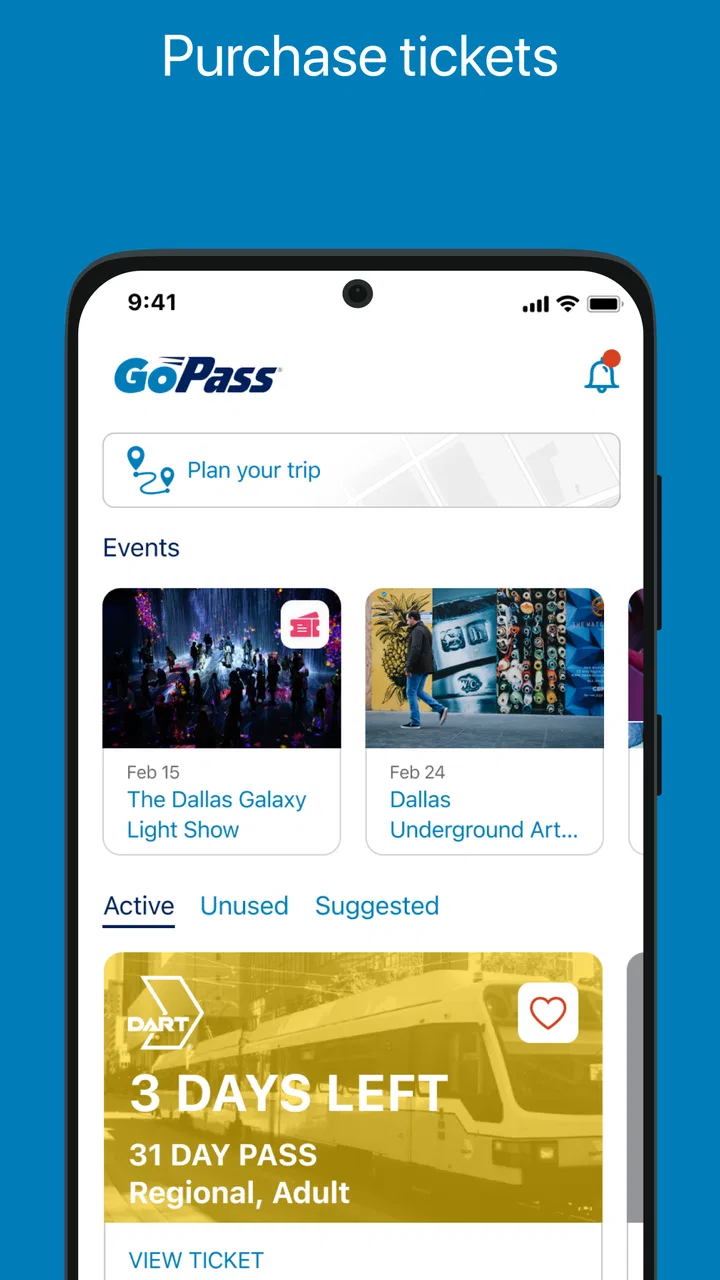
GoPass® is a mobile application designed to streamline public transportation experiences. It allows users to purchase tickets, plan journeys, and access real-time transit information. By integrating various transit services into a single platform, GoPass® offers a seamless way to navigate city transportation systems efficiently.
02Is GoPass® available for both Android and iOS devices?
Yes, GoPass® is available on both Android and iOS platforms. Users can download the app from the Google Play Store or Apple App Store, ensuring compatibility with a wide range of smartphones and tablets. Regular updates keep the app in line with new operating system developments.
03Can I use GoPass® for multiple transit systems?
Absolutely! GoPass® supports multiple transit systems, making it an ideal solution for travelers in various cities. It allows users to purchase tickets and plan routes across participating transit networks, ensuring flexibility and convenience whether you're commuting locally or exploring a new city.
04How do I purchase and use tickets on GoPass®?
Purchasing tickets on GoPass® is straightforward. Users can select their preferred transit service, choose the type and quantity of tickets, and make payments securely through the app. Once purchased, tickets are stored digitally within the app, ready for easy access and validation during your journey.
05Is my payment information secure on GoPass®?
GoPass® prioritizes user security, employing advanced encryption and secure payment gateways to protect personal and financial information. By following industry best practices, the app ensures that your transactions and data remain safe and confidential. Users can manage their security settings within the app for added peace of mind.
Pros
- User-friendly interface enhances navigation.
- Real-time updates on transit schedules.
- Supports multiple payment options.
- Efficient trip planning features.
- Secure login with biometric options.
Cons
- Limited coverage in smaller cities.
- Occasional GPS inaccuracies reported.
- Requires stable internet connection.
- No offline mode available.
- Customer support can be slow.

GoPass ®
Gallery